

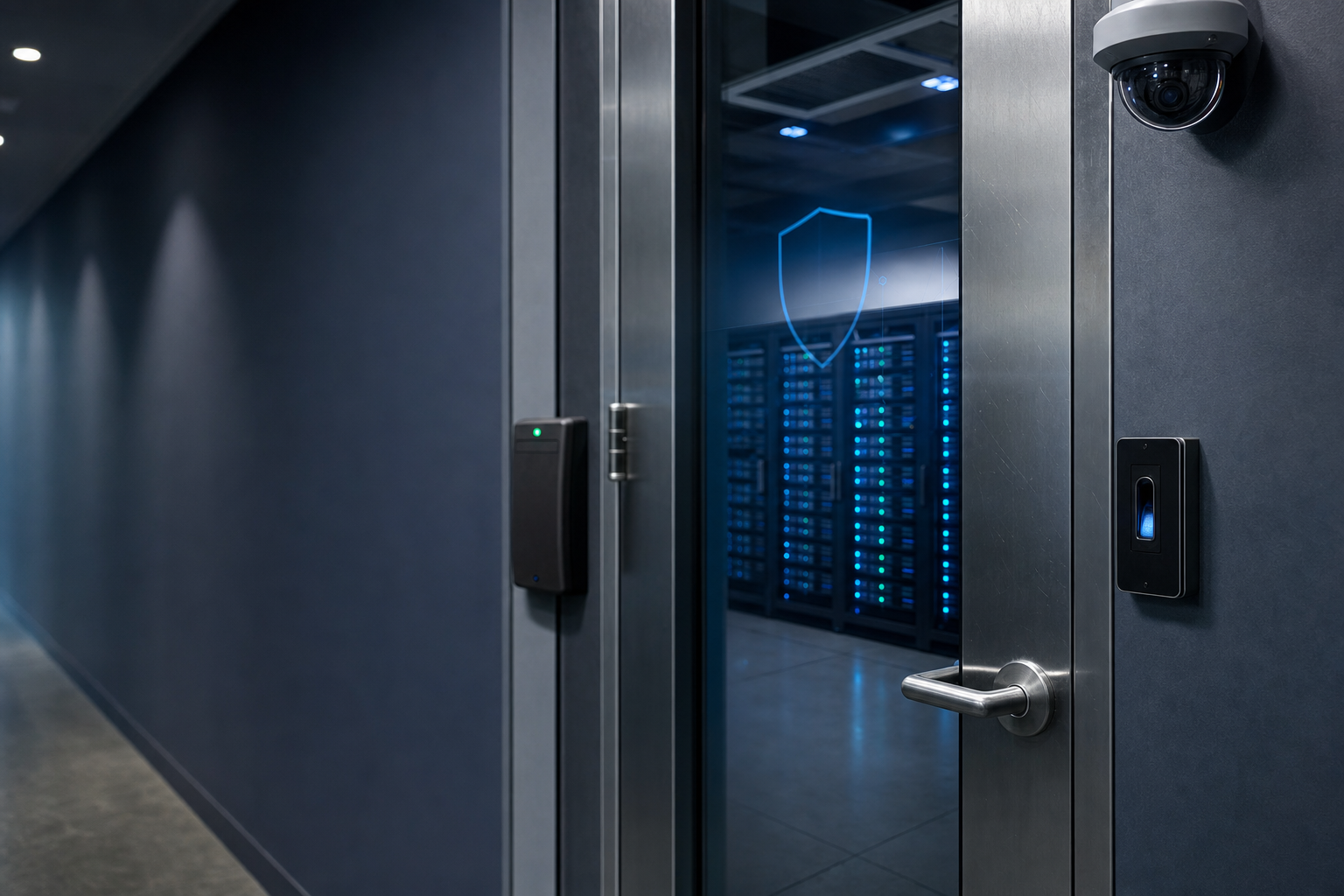
Physical security is one of the most important—and often overlooked—parts of cybersecurity. Organizations can invest thousands of dollars in firewalls, antivirus software, encryption, and other security technologies, but those protections can be weakened or bypassed if someone can physically access the systems they are designed to protect.
Imagine an attacker walking into an office, plugging a USB drive into an unattended computer, stealing a laptop, or gaining access to a server room. No sophisticated hacking technique may be required. Physical access can sometimes provide an attacker with a much easier path to sensitive systems and information.
That is why effective security must go beyond software and networks. It must also protect people, buildings, computers, servers, networking equipment, data, and other physical assets.
In this article, we’ll explore what physical security is, why it matters, common physical security threats and controls, and how physical security works together with cybersecurity to protect an organization.
What Is Physical Security?
Physical security is the practice of protecting people, buildings, equipment, information, and other physical assets from unauthorized access, theft, damage, or disruption.
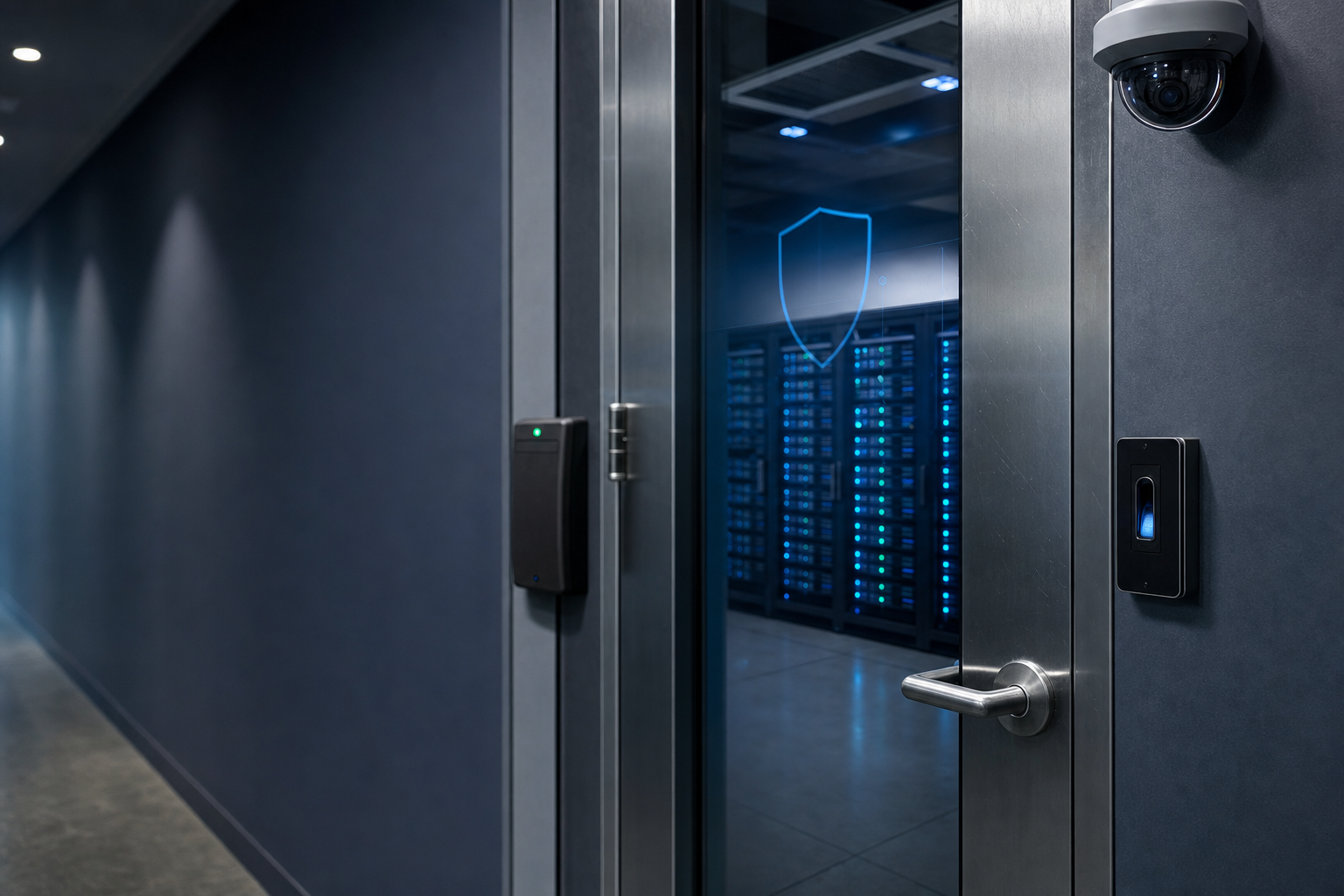
Physical security controls can range from simple measures such as locks and security doors to sophisticated systems such as biometric authentication, surveillance cameras, security guards, and electronic access-control systems.
The goal is straightforward:
Prevent unauthorized people from physically reaching the assets, systems, and information they should not be able to access.
Physical security is used in many environments, including:
- Corporate offices
- Data centers
- Server rooms
- Network closets
- Government facilities
- Hospitals
- Schools and universities
- Manufacturing facilities
- Retail stores
- Warehouses
- Homes and small businesses
Physical security is also an important part of cybersecurity because computers and network infrastructure ultimately exist in the physical world.
Why Is Physical Security Important?
Physical security is important because digital systems depend on physical infrastructure.
A server may contain sophisticated security software, but someone still has to physically house that server somewhere. A network switch may enforce security policies, but an attacker who can physically access it may be able to interfere with the equipment.
Physical security helps protect against several different types of threats.
1. Unauthorized Access
One of the most obvious physical security threats is allowing someone into an area where they should not be.
For example, an employee may have permission to enter the office but not the server room. If the server room is left unlocked, that employee—or someone accompanying them—could potentially gain unauthorized access to critical equipment.
Access controls help ensure that people can only enter areas appropriate for their role.
2. Theft
Computers, laptops, servers, networking equipment, storage devices, and other technology can be valuable targets for thieves.
More importantly, stolen equipment may contain sensitive information.
A stolen laptop, for example, could potentially provide access to:
- Company documents
- Customer information
- Email accounts
- Saved credentials
- Business applications
- VPN connections
- Confidential files
Physical security measures such as locked rooms, cable locks, security cameras, access controls, and asset tracking can reduce the risk of theft.
3. Equipment Damage
Physical security also protects equipment from intentional or accidental damage.
A person could damage a server, disconnect network cables, tamper with equipment, or intentionally shut down systems.
Organizations can reduce these risks by restricting access to critical equipment and monitoring sensitive areas.
4. Information Theft
Physical security isn’t only about protecting hardware.
Sensitive information can also exist in physical form.
Examples include:
- Printed documents
- Backup tapes
- USB drives
- Hard drives
- Security credentials
- Employee records
- Customer records
A properly secured network does little good if confidential documents are left on a desk where unauthorized individuals can read or photograph them.
The Relationship Between Physical Security and Cybersecurity
Physical security and cybersecurity are closely connected.
Cybersecurity protects digital systems and information, while physical security protects the physical environments and assets that support those systems.
Consider a company server.
Cybersecurity controls might include:
- Firewalls
- Passwords
- Multi-factor authentication
- Encryption
- Endpoint protection
- Intrusion detection
- Access controls
Physical security controls might include:
- Locked server rooms
- Security cameras
- Badge readers
- Security guards
- Environmental monitoring
- Visitor controls
Both are necessary.
A Simple Example
Imagine a server protected by a strong password.
An attacker may attempt to guess the password remotely, but the organization has implemented strong authentication and monitoring.
Now imagine the attacker can simply walk into the server room and access the physical machine.
The attacker may have opportunities that do not exist through a remote connection.
This demonstrates an important security principle:
Physical access can sometimes defeat digital security controls.
Common Physical Security Threats
Organizations face a wide variety of physical security threats.
Understanding these threats is the first step toward protecting against them.
Unauthorized Entry
Unauthorized individuals may attempt to enter restricted areas such as offices, server rooms, storage areas, or data centers.
They may attempt to:
- Pick or bypass locks
- Use stolen access cards
- Follow authorized employees through secure doors
- Impersonate employees or contractors
- Exploit unsecured entrances
Access-control systems and employee awareness can help reduce these risks.
Tailgating and Piggybacking
Tailgating occurs when an unauthorized person follows an authorized individual into a restricted area without using their own credentials.
For example, an employee opens a secure door with their access card. Another person follows closely behind before the door closes.
The second person may never have been authorized to enter.
This is why employees should be trained not to automatically hold secure doors open for people they do not recognize.
Theft
Physical theft can involve almost anything from a laptop to an entire piece of network equipment.
Common targets include:
- Laptops
- Smartphones
- Servers
- Hard drives
- USB storage devices
- Network equipment
- Paper documents
- Backup media
Asset inventories, physical locks, access controls, and surveillance can help protect valuable equipment.
Vandalism
Attackers or disgruntled individuals may intentionally damage equipment or facilities.
Examples include:
- Cutting network cables
- Damaging servers
- Destroying security cameras
- Tampering with electrical equipment
- Damaging doors or locks
Restricting access and monitoring critical areas can reduce the likelihood and impact of vandalism.
Social Engineering
Physical security and social engineering are closely related.
An attacker may attempt to manipulate employees into giving them physical access.
For example, someone might claim:
“I’m from the IT department. I need to check the network equipment.”
If employees don’t verify the person’s identity, they may unknowingly allow an attacker into a restricted area.
This is why physical security requires both technology and employee awareness.
Environmental Threats
Not every physical security threat involves a person.
Organizations must also protect equipment from environmental hazards such as:
- Fire
- Flooding
- Extreme temperatures
- Humidity
- Power failures
- Electrical surges
- Dust
- Water leaks
Data centers often use specialized environmental controls to protect critical systems from these threats.
Common Physical Security Controls
Physical security controls are the safeguards organizations use to reduce physical security risks.
These controls can be grouped into several categories.
Locks and Keys
Traditional locks remain an important physical security control.
They can be used to protect:
- Doors
- Cabinets
- Offices
- Server racks
- Equipment rooms
- Storage areas
Although simple, locks provide an important first layer of protection.
Access Cards and Badges
Many organizations use electronic access cards or badges to control entry.
An employee may be issued a badge that grants access to specific areas.
For example:
| Area | Employee Access |
|---|---|
| Lobby | Yes |
| General Office | Yes |
| Server Room | No |
| Data Center | No |
| Executive Office | Depends on role |
Electronic access systems can also create logs showing when a badge was used.
Biometric Authentication
Biometric systems use physical characteristics to verify someone’s identity.
Examples include:
- Fingerprints
- Facial recognition
- Iris scanning
- Palm recognition
Biometrics can provide an additional layer of protection for highly restricted environments.
Security Cameras
Video surveillance can help organizations monitor physical spaces and investigate security incidents.
Cameras may be placed near:
- Entrances
- Exits
- Parking areas
- Server rooms
- Data centers
- Storage areas
- Restricted locations
Cameras can act as both a deterrent and an investigative tool.
Security Guards
Security personnel provide a human layer of protection.
Security guards may:
- Monitor entrances
- Verify visitors
- Patrol facilities
- Respond to suspicious activity
- Monitor security systems
- Respond to emergencies
Human security personnel can be particularly useful because they can respond to situations that automated systems may not understand.
Fences and Barriers
Fences, gates, bollards, and other barriers can help control access to facilities.
They are particularly useful for protecting:
- Data centers
- Warehouses
- Industrial facilities
- Construction sites
- Parking areas
Physical barriers can establish a clear boundary between public and restricted areas.
Visitor Management
Organizations should know who is entering their facilities.
Visitor-management processes may include:
- Requiring visitors to sign in.
- Verifying their identity.
- Issuing temporary badges.
- Requiring visitors to remain with an employee.
- Recording when visitors leave.
These procedures help prevent unauthorized individuals from freely moving through a facility.
Physical Security in Data Centers
Data centers require particularly strong physical security because they contain large amounts of critical computing infrastructure.
A data center may contain:
- Servers
- Storage systems
- Network switches
- Routers
- Firewalls
- Backup systems
- Power equipment
- Cooling systems
A physical security failure could potentially disrupt many systems simultaneously.
Data centers may use multiple layers of security, including:
- Perimeter fencing
- Security guards
- Cameras
- Badge access
- Biometric authentication
- Mantraps
- Locked server cages
- Visitor screening
- Environmental monitoring
- Fire suppression systems
- Backup power
This layered approach is known as defense in depth.
What Is a Mantrap?
A mantrap is a small controlled area with two doors.
The basic concept works like this:
- A person enters through the first door.
- The first door locks.
- The system verifies the person’s authorization.
- The second door unlocks.
- The person enters the secure area.
The system is designed to prevent multiple unauthorized individuals from entering at the same time.
Mantraps are commonly associated with high-security facilities such as data centers and government facilities.
Protecting Computers and Network Equipment
Physical security is especially important for IT equipment.
Organizations should consider securing:
- Desktop computers
- Laptops
- Servers
- Network switches
- Routers
- Firewalls
- Wireless controllers
- Storage devices
- Backup systems
- Uninterruptible power supplies
Network equipment is often located in dedicated network closets or server rooms.
These areas should generally have restricted access.
For example, a network switch may control connectivity for an entire office. If someone can physically disconnect or manipulate it, they could potentially disrupt network operations.
Physical Security at Home
Physical security isn’t only an organizational concern.
Home users should also protect their computers and information.
Some basic measures include:
- Locking doors and windows
- Keeping laptops secured when unattended
- Avoiding leaving sensitive documents in public view
- Protecting wireless networking equipment
- Securely disposing of old hard drives
- Using device locks when appropriate
- Keeping important backups in a secure location
Remote workers should pay particular attention to physical security because company information may be accessed outside traditional office environments.
The Human Element of Physical Security
Technology alone cannot solve every physical security problem.
Employees and users play an important role.
An organization can install sophisticated access-control systems, but employees still need to understand basic security practices.
Employees should be trained to:
- Wear identification badges when required.
- Challenge or report suspicious activity.
- Avoid allowing unknown individuals into restricted areas.
- Secure their computers when stepping away.
- Report lost access cards immediately.
- Protect confidential documents.
- Follow visitor-management procedures.
- Report damaged locks, doors, or security equipment.
Security awareness is therefore an important part of physical security.
Physical Security and the CIA Triad
Physical security also supports the three fundamental goals of information security known as the CIA triad:
- Confidentiality
- Integrity
- Availability
Confidentiality
Confidentiality means preventing unauthorized people from accessing information.
Physical security supports confidentiality by protecting:
- Servers
- Computers
- Documents
- Storage devices
- Data centers
For example, locking a server room helps prevent unauthorized individuals from accessing systems containing sensitive information.
Integrity
Integrity means ensuring that information and systems are not improperly changed or manipulated.
Physical security can help protect integrity by preventing unauthorized people from physically tampering with systems.
Availability
Availability means ensuring systems and information remain accessible when needed.
Physical security supports availability by protecting infrastructure from:
- Theft
- Damage
- Sabotage
- Fire
- Flooding
- Power-related problems
A physical security incident can take an entire system offline, making availability just as important as confidentiality and integrity.
The Importance of Defense in Depth
One of the most important concepts in security is defense in depth.
Defense in depth means using multiple layers of protection rather than relying on a single security control.
For example, a data center might use:
Perimeter fence → Security guard → Building access card → Biometric authentication → Locked server room → Locked server rack
Each layer provides another opportunity to stop or detect an unauthorized individual.
If one control fails, another control may still prevent the attack.
The same principle applies to cybersecurity.
A strong security strategy combines physical, technical, and administrative controls.
Physical Security Best Practices
Organizations can improve their physical security by implementing several basic practices.
1. Identify Critical Assets
Determine which people, equipment, facilities, and information require protection.
2. Restrict Physical Access
Only authorized individuals should have access to sensitive areas.
3. Monitor Important Areas
Use cameras, alarms, access logs, and security personnel where appropriate.
4. Secure IT Equipment
Servers, network devices, backup systems, and other critical equipment should be physically protected.
5. Train Employees
Teach employees how to recognize and report physical security threats.
6. Manage Visitors
Use visitor identification, sign-in procedures, temporary badges, and escorts when appropriate.
7. Protect Against Environmental Threats
Use fire detection, fire suppression, temperature monitoring, water detection, backup power, and other appropriate safeguards.
8. Dispose of Equipment Securely
Old storage devices should be properly sanitized or destroyed before disposal.
9. Review Access Regularly
When employees change roles or leave an organization, their physical access should be updated or revoked.
10. Test Security Controls
Organizations should periodically test their physical security procedures to identify weaknesses.
Real-World Examples of Physical Security Failures
Understanding physical security becomes easier when we consider what can happen when it fails.
Example 1: Unlocked Server Room
An organization leaves its server room unlocked.
An unauthorized person enters and disconnects a network switch.
The result could be a significant network outage.
Example 2: Stolen Laptop
An employee leaves a company laptop unattended in a public location.
The laptop is stolen.
If the device contains sensitive information and isn’t properly protected with encryption and authentication, the organization could experience both a physical and cybersecurity incident.
Example 3: Tailgating
An attacker follows an employee through a secure entrance.
The employee assumes the person is authorized and doesn’t question them.
The attacker gains access to areas they shouldn’t be able to enter.
Example 4: Improper Disposal
An organization throws away an old hard drive without properly sanitizing it.
Someone retrieves the drive and recovers sensitive information.
The organization may have physically disposed of the hardware while failing to properly protect the data stored on it.
Physical Security Is Part of a Complete Security Strategy
It can be tempting to think about cybersecurity entirely in terms of software, networks, passwords, and hackers.
But security is much broader than that.
A complete security strategy must consider the entire environment in which technology operates.
That includes:
People + Processes + Technology + Physical Security
Each component supports the others.
For example, an organization may have:
- Strong passwords
- Multi-factor authentication
- Firewalls
- Endpoint protection
- Encryption
But if an attacker can simply walk into an unlocked office and steal an unencrypted computer, many of those security controls may not provide much protection.
Security must therefore be approached as a complete system.
Conclusion
Physical security is a fundamental part of protecting information, technology, people, and organizations.
Locks, cameras, access cards, biometric systems, security guards, visitor controls, and environmental safeguards may not receive as much attention as firewalls or encryption, but they provide an essential layer of protection.
The key lesson is simple:
You cannot fully protect digital assets without protecting the physical systems that store, process, and transmit them.
Whether you’re securing a home computer, a small business, an enterprise network, or a massive data center, physical security should be considered an essential component of the overall security strategy.
For anyone learning cybersecurity, understanding physical security provides an important foundation. Before you can protect a network from someone connecting remotely, you should also ask a basic question:
Who can physically access the systems?
That question can reveal security risks that technology alone may not address.
Key Takeaways
- Physical security protects people, facilities, equipment, and physical information.
- Physical security and cybersecurity are closely connected.
- Physical access can sometimes allow an attacker to bypass or undermine digital security controls.
- Common physical security threats include unauthorized access, theft, vandalism, tailgating, social engineering, and environmental hazards.
- Common physical security controls include locks, access cards, biometrics, cameras, security guards, barriers, and visitor-management systems.
- Data centers require multiple layers of physical protection because they contain critical IT infrastructure.
- Employee awareness is an important part of physical security.
- Physical security supports confidentiality, integrity, and availability.
- Defense in depth is an important strategy for protecting physical and digital assets.
- Effective cybersecurity requires protecting both the digital and physical environments.


Comments (0)