

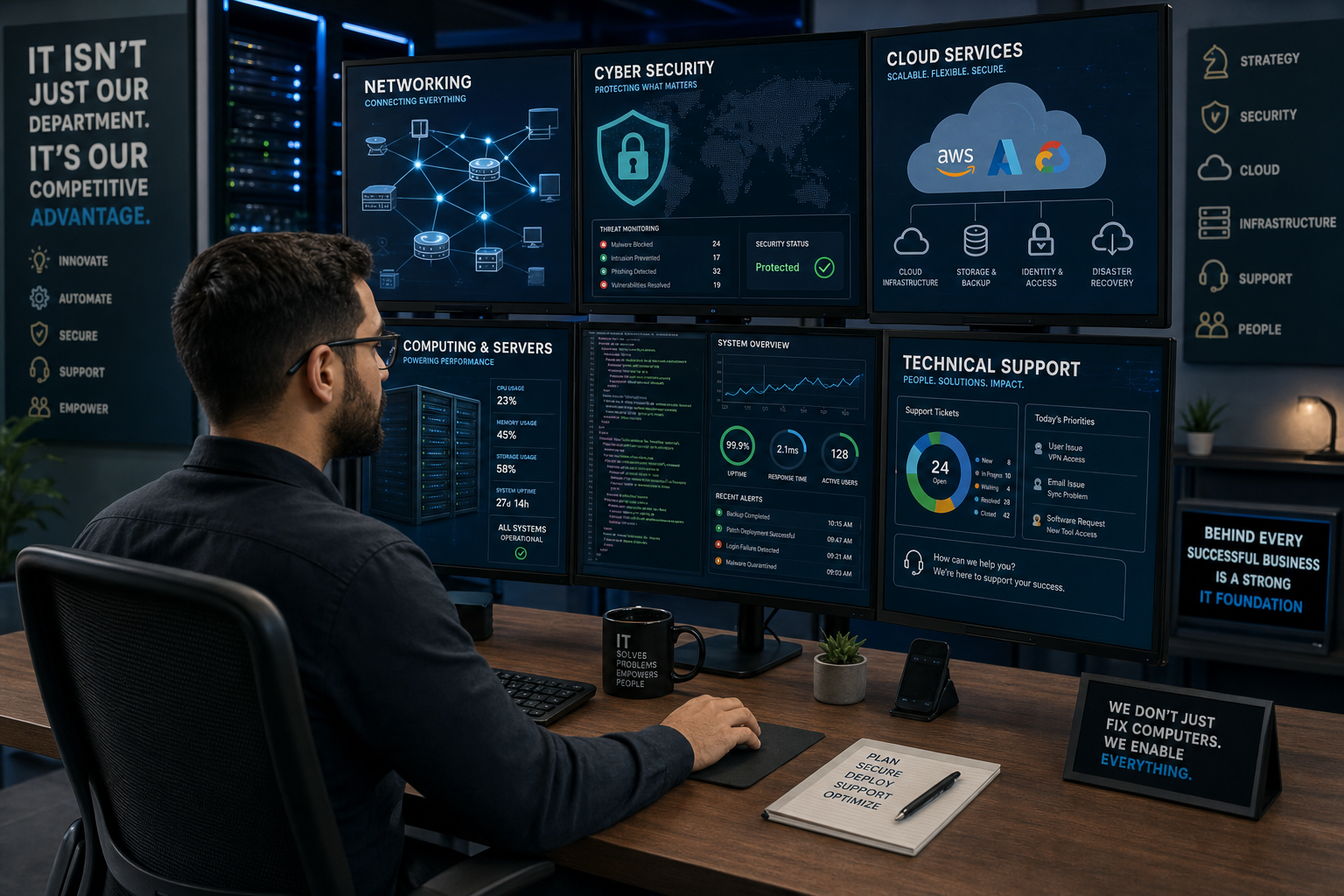
Have you ever wondered what an IT professional actually does all day? When people hear the term “IT professional,” they may picture someone fixing a computer or helping a coworker who cannot connect to the internet. While troubleshooting is certainly part of IT, the field is much broader.
Information technology professionals help organizations manage computers, networks, software, data, cloud services, security systems, and other technologies that businesses rely on every day.
From installing software and maintaining networks to protecting sensitive information and managing cloud infrastructure, IT professionals play a critical role in keeping modern organizations running.
In this guide, we’ll explore what IT professionals do, the different types of IT jobs available, the skills they need, and how someone can begin a career in information technology.
What Is an IT Professional?
An IT professional is someone who works with technology to help individuals or organizations use, manage, maintain, and protect information systems.
IT professionals can work with many different types of technology, including:
- Computers and laptops
- Servers
- Computer networks
- Operating systems
- Business applications
- Databases
- Cloud computing platforms
- Cybersecurity systems
- Mobile devices
- Data storage systems
- Communication technologies
- IT infrastructure
The specific responsibilities of an IT professional depend heavily on their job title and area of specialization.
For example, a help desk technician may spend most of their day helping users troubleshoot computer problems, while a network administrator may focus on switches, routers, wireless networks, and network security.
A cybersecurity analyst, on the other hand, may spend the day monitoring systems for suspicious activity and investigating potential security threats.
What Does an IT Professional Do?
There isn’t one universal list of tasks that every IT professional performs. However, many IT professionals are responsible for some combination of the following activities.
1. Supporting Computer Users
One of the most familiar IT responsibilities is technical support.
IT support professionals help users solve technology-related problems. These problems can range from simple issues to complicated technical failures.
Common support requests include:
- Password problems
- Software installation
- Computer performance issues
- Printer problems
- Internet connectivity
- Email problems
- Operating system errors
- Hardware failures
- Account access
- Mobile device configuration
For example, if an employee cannot connect their laptop to the company’s wireless network, an IT support technician may investigate the problem and help restore the connection.
Technical support is often one of the first areas people encounter when beginning an IT career.
2. Managing Computer Networks
Organizations depend on networks to allow computers, servers, applications, and users to communicate.
Network-focused IT professionals may be responsible for:
- Configuring network devices
- Managing routers and switches
- Maintaining wireless networks
- Monitoring network performance
- Troubleshooting connectivity problems
- Managing IP addresses
- Configuring firewalls
- Maintaining virtual networks
- Documenting network infrastructure
Network administrators and network engineers may also design and implement new network infrastructure as organizations grow.
A network problem can affect an entire organization, so maintaining reliable network connectivity is an important IT responsibility.
3. Managing Servers and Systems
IT professionals may also manage the systems that provide services to users and applications.
These systems can include physical and virtual servers running operating systems such as Windows or Linux.
Systems administrators may be responsible for:
- Installing operating systems
- Configuring servers
- Creating user accounts
- Managing permissions
- Installing updates
- Monitoring system performance
- Managing storage
- Troubleshooting system problems
- Maintaining backups
- Automating repetitive tasks
Many organizations now use a combination of traditional servers, virtual machines, and cloud-based infrastructure.
4. Protecting Technology and Data
Cybersecurity has become one of the most important areas of information technology.
Cybersecurity professionals help organizations protect systems and information from unauthorized access, malware, phishing, data breaches, and other threats.
Security responsibilities may include:
- Monitoring security alerts
- Managing access controls
- Configuring security tools
- Investigating suspicious activity
- Performing vulnerability assessments
- Applying security updates
- Developing security policies
- Responding to security incidents
- Educating employees about security risks
Cybersecurity is closely connected to almost every other area of IT.
For example, a network administrator may configure firewalls and network segmentation, while a security analyst monitors the environment for potential attacks.
5. Managing Cloud Services
Cloud computing has changed the way organizations build and operate their technology environments.
Instead of maintaining every server and application in a company’s own building, organizations can use services provided by cloud platforms.
IT professionals may work with cloud services involving:
- Virtual machines
- Cloud storage
- Databases
- Networking
- Identity and access management
- Backup services
- Monitoring
- Application hosting
- Cloud security
Common cloud platforms include services from companies such as Amazon Web Services, Microsoft Azure, and Google Cloud.
Cloud professionals may design, deploy, maintain, and secure cloud environments.
6. Installing and Maintaining Software
Organizations rely on software for almost every business function.
IT professionals may install, configure, update, and troubleshoot applications used by employees.
This can include:
- Productivity software
- Business applications
- Security software
- Database applications
- Collaboration platforms
- Operating systems
- Specialized industry applications
IT teams may also manage software licensing and ensure that systems are running supported versions.
7. Managing User Accounts and Access
IT departments frequently manage who can access organizational systems and what they are allowed to do.
This is often referred to as identity and access management (IAM).
IT professionals may:
- Create user accounts
- Disable accounts
- Reset passwords
- Assign permissions
- Manage security groups
- Configure multifactor authentication
- Manage privileged accounts
- Review access rights
Proper access management helps employees get the resources they need while reducing the risk of unauthorized access.
8. Backing Up and Recovering Data
Data is one of an organization’s most valuable assets.
IT professionals help protect data by implementing backup and recovery strategies.
This can involve:
- Creating regular backups
- Monitoring backup jobs
- Testing backups
- Maintaining backup copies
- Developing recovery procedures
- Restoring files after accidental deletion
- Supporting disaster recovery plans
A backup is only useful if it can actually be restored, which is why testing recovery procedures is an important part of IT operations.
9. Monitoring IT Systems
IT professionals often monitor systems to identify problems before they become major incidents.
Monitoring may include:
- Server performance
- Network traffic
- Storage capacity
- Application availability
- Security events
- System health
- Cloud resources
- Hardware status
Monitoring tools can generate alerts when something unusual occurs.
For example, an IT administrator might receive an alert when a server’s storage reaches a critical level, allowing the problem to be addressed before the server runs out of space.
10. Troubleshooting Problems
Troubleshooting is one of the most important skills in IT.
When something doesn’t work, IT professionals need to determine why it isn’t working and identify an appropriate solution.
A basic troubleshooting process might involve:
- Identifying the problem
- Gathering information
- Determining possible causes
- Testing potential solutions
- Implementing a solution
- Verifying that the problem is resolved
- Documenting the issue and solution
Good troubleshooting isn’t simply about guessing what is wrong. It involves using a logical process to narrow down possible causes.
Common Types of IT Professionals
The IT industry includes many different career paths. Some professionals specialize in a particular technology, while others work across multiple areas.
Here are some common IT roles.
Help Desk Technician
Help desk technicians provide frontline technical support to users.
They may troubleshoot:
- Computers
- Software
- Passwords
- Printers
- Network connectivity
- User accounts
Help desk positions are often an excellent starting point for someone entering the IT industry.
IT Support Specialist
IT support specialists provide technical assistance and may work with more complex hardware, software, networking, and system problems.
Their responsibilities can overlap with those of help desk technicians, depending on the organization.
Systems Administrator
Systems administrators manage computer systems and servers.
They may work with Windows, Linux, virtualization platforms, storage systems, backups, and user accounts.
Network Administrator
Network administrators maintain an organization’s network infrastructure.
They commonly work with:
- Routers
- Switches
- Firewalls
- Wireless networks
- VPNs
- IP addressing
- Network monitoring
Network Engineer
Network engineers generally work on designing, implementing, and maintaining more complex network environments.
They may design network architectures, deploy new technologies, troubleshoot advanced connectivity issues, and optimize network performance.
Cybersecurity Analyst
Cybersecurity analysts help organizations detect and respond to security threats.
They may analyze security alerts, investigate suspicious activity, monitor security systems, and help improve an organization’s security posture.
Cloud Engineer
Cloud engineers work with cloud infrastructure and services.
Their responsibilities may include designing cloud environments, deploying resources, managing cloud networking, implementing automation, and maintaining cloud security.
Database Administrator
Database administrators manage databases that organizations depend on to store and retrieve information.
Their responsibilities can include:
- Database configuration
- Performance monitoring
- Backup and recovery
- Security
- Troubleshooting
- Data availability
IT Project Manager
IT project managers coordinate technology projects.
They may be responsible for:
- Planning projects
- Managing schedules
- Coordinating teams
- Managing budgets
- Tracking project progress
- Communicating with stakeholders
- Managing project risks
Unlike many technical IT positions, IT project management places a strong emphasis on organization, communication, and leadership.
IT Manager
IT managers oversee IT teams and technology operations.
Their responsibilities may include managing employees, budgets, technology projects, vendors, policies, and long-term technology strategies.
What Skills Does an IT Professional Need?
Successful IT professionals need more than technical knowledge.
The most valuable IT professionals combine technical skills with problem-solving, communication, and organizational abilities.
Technical Skills
Technical skills vary depending on the career path, but may include:
- Computer hardware
- Operating systems
- Networking
- Cybersecurity
- Cloud computing
- Databases
- Virtualization
- Scripting
- Programming
- IT support
- System administration
Someone working in cybersecurity will need different technical skills from someone specializing in database administration.
Problem-Solving Skills
Technology doesn’t always behave as expected.
IT professionals need to be able to analyze problems, identify possible causes, test solutions, and determine the best way to resolve an issue.
Strong problem-solving skills can be just as important as knowing specific technologies.
Communication Skills
IT professionals frequently interact with people who have different levels of technical knowledge.
A technician may need to explain a complicated technical problem to someone who has little understanding of computers.
Being able to explain technology clearly and professionally is therefore an important IT skill.
Customer Service Skills
Many IT positions involve helping users.
Being patient, professional, and respectful can make a significant difference in the user experience.
A technically correct solution isn’t always enough. IT professionals also need to make sure users understand what is happening and what they need to do.
Adaptability
Technology changes constantly.
New operating systems, cloud platforms, cybersecurity threats, software tools, and hardware technologies are introduced regularly.
IT professionals need to continually learn and adapt.
What Does a Typical Day Look Like for an IT Professional?
There is no single “typical” IT workday because IT roles are so diverse.
A help desk technician might spend the morning responding to support tickets, troubleshooting a user’s computer, and resetting passwords.
A network administrator might spend the day monitoring network performance, configuring a switch, investigating connectivity problems, and planning a network upgrade.
A cybersecurity analyst could spend the day reviewing security alerts, investigating suspicious activity, and updating security controls.
A cloud engineer might work on deploying cloud resources, automating infrastructure, and troubleshooting a cloud application.
This variety is one of the things that makes IT an attractive career field.
Do IT Professionals Need to Know How to Program?
Not necessarily.
Programming can be extremely useful in IT, but not every IT professional needs to become a software developer.
Some IT roles require little programming, while others increasingly rely on scripting and automation.
For example:
- Help desk technicians may use little or no programming.
- Network administrators may use scripting for automation.
- Systems administrators may use PowerShell, Bash, or Python.
- Cloud engineers often use scripting and infrastructure-as-code tools.
- Cybersecurity professionals may use Python or scripting for analysis and automation.
- Software developers spend much of their time writing code.
Learning basic programming or scripting can nevertheless be a valuable skill for almost any IT professional.
Do IT Professionals Need a College Degree?
A college degree can be helpful for some IT careers, but it is not the only path into information technology.
People enter IT through many different routes, including:
- College degree programs
- Technical schools
- Professional certifications
- Online courses
- Self-study
- Internships
- Entry-level IT positions
- Hands-on projects
Certifications can also help demonstrate knowledge in specific areas.
For example, someone beginning an IT career might pursue an entry-level certification covering fundamental IT concepts before moving into networking, cybersecurity, cloud computing, or another specialization.
The most appropriate path depends on the individual’s goals and the type of IT position they want to pursue.
How Can You Start a Career in IT?
If you’re interested in becoming an IT professional, you don’t need to learn everything at once.
A good starting point is to build a foundation in basic technology concepts.
Step 1: Learn Computer Fundamentals
Start by understanding:
- Computer hardware
- Operating systems
- Files and storage
- Software
- Basic troubleshooting
- Internet fundamentals
Step 2: Learn Networking Fundamentals
Understanding how computers communicate is extremely valuable in IT.
Learn concepts such as:
- IP addresses
- DNS
- DHCP
- Routers
- Switches
- Wi-Fi
- Ports and protocols
- Firewalls
Step 3: Learn an Operating System
Become comfortable using an operating system.
Windows is widely used in business environments, while Linux is particularly important in servers, cloud computing, networking, and cybersecurity.
Step 4: Practice Troubleshooting
Don’t just read about technology. Practice solving problems.
Set up a small home lab, experiment with virtual machines, configure a network, or troubleshoot common computer problems.
Hands-on experience helps turn theoretical knowledge into practical skills.
Step 5: Explore Different IT Specializations
Once you’ve developed a foundation, explore different areas of IT.
You might discover that you’re particularly interested in:
- Networking
- Cybersecurity
- Cloud computing
- Systems administration
- Data
- Programming
- Technical support
- IT management
You don’t have to choose a specialization immediately.
Step 6: Continue Learning
Technology changes constantly, so learning doesn’t stop when you get your first IT job.
Successful IT professionals continue developing their skills throughout their careers.
Is IT a Good Career?
For people who enjoy technology, problem-solving, and continuous learning, IT can be a rewarding career.
One of the biggest advantages of the field is the variety of career paths available.
Someone might start in technical support and eventually move into:
Help Desk → Systems Administration → Cloud Engineering
Or:
Help Desk → Networking → Network Engineering → Network Security
Another possible path is:
IT Support → Security → Cybersecurity Analyst → Security Engineer
There is no single career path that every IT professional must follow.
The Future of IT
The IT profession continues to evolve as organizations adopt new technologies.
Artificial intelligence, cloud computing, automation, cybersecurity, edge computing, and other technologies are changing the way IT departments operate.
Rather than eliminating the need for IT professionals, these technologies are also creating new responsibilities and opportunities.
IT professionals increasingly need to understand not only how technology works, but also how different technologies work together.
For example, a modern IT professional may need to understand networking, cloud infrastructure, cybersecurity, automation, and artificial intelligence at a foundational level.
The specific tools will continue to change, but the ability to learn, troubleshoot, adapt, and solve problems will remain valuable.
Frequently Asked Questions About IT Professionals
What is the main job of an IT professional?
The main job of an IT professional is to help an organization use and maintain technology effectively. Depending on their role, this can involve supporting users, managing networks and systems, protecting information, maintaining applications, or managing cloud infrastructure.
What does an IT person do all day?
An IT professional might troubleshoot technical problems, respond to support requests, monitor systems, configure hardware or software, manage user accounts, investigate security issues, maintain networks, or work on technology projects.
The daily responsibilities depend on the person’s specific IT role.
Is IT hard to learn?
IT can be challenging because there are many technologies and concepts to learn. However, beginners don’t need to learn everything at once. Starting with fundamental concepts and gradually building knowledge can make the process much more manageable.
Can you get an IT job with no experience?
Yes. Entry-level positions such as help desk or technical support can provide opportunities to gain professional experience. Building foundational knowledge, earning relevant certifications, and gaining hands-on experience through labs and personal projects can also help.
Do IT professionals work with computers all day?
Many IT professionals spend significant time working with computers, but IT work isn’t limited to sitting at a computer. Depending on the position, professionals may work with physical equipment, meet with users, visit equipment locations, participate in projects, or communicate with vendors and other teams.
What is the difference between IT and computer science?
IT generally focuses on using, managing, supporting, and securing technology systems, while computer science is more focused on the underlying principles of computing, algorithms, software, and computation.
There is some overlap between the two fields, but their typical career paths can be different.
Final Thoughts
So, what does an IT professional do?
The answer depends on the role, but at its core, IT is about using technology to solve problems and help people and organizations accomplish their goals.
IT professionals support users, manage networks and systems, protect data, maintain applications, manage cloud environments, troubleshoot problems, and help organizations adopt new technologies.
Perhaps the most important thing to understand about an IT career is that you don’t have to know everything about technology to get started.
IT is a broad field with many different career paths. Start with the fundamentals, gain hands-on experience, explore different areas of technology, and continue learning.
Your first IT job doesn’t have to determine your entire career. It can simply be the first step toward discovering which area of technology interests you most.
Interested in learning more about IT? Explore LearningTech101 for beginner-friendly guides covering computers, networking, cybersecurity, cloud computing, software, and other technology topics.
Comments (0)